
🚩 The Real Problem Isn’t Storage — It’s Disconnected Execution
In many organizations, SharePoint has become the standard platform for document management.
Contracts, proposals, internal requests, and other business documents are efficiently stored, organized, and shared through SharePoint.
However, one critical issue still remains:
👉 Documents are managed, but the processes around them are not.
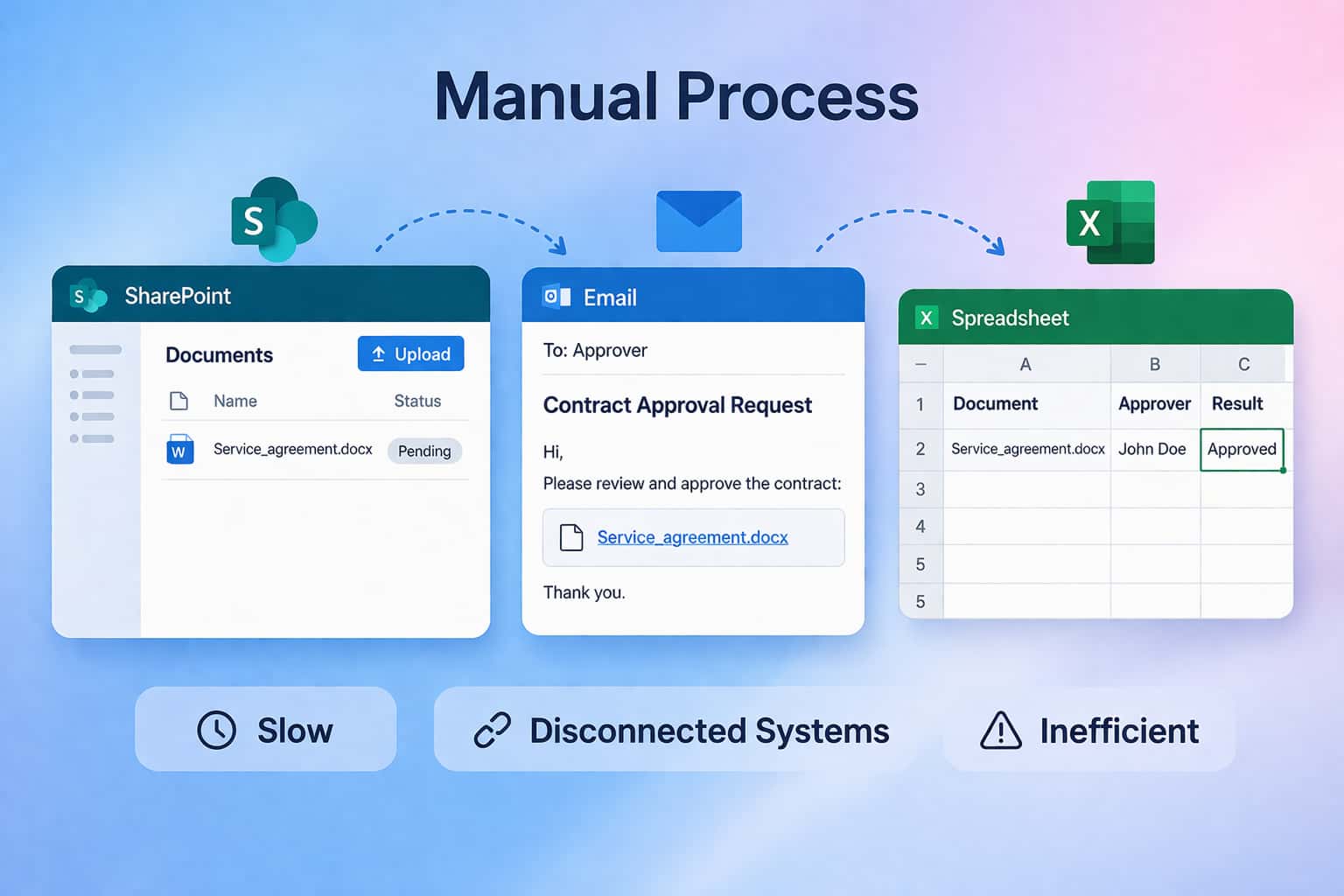
In reality, most workflows still happen outside the system:
- Documents are uploaded to SharePoint
- Approvals are initiated via email
- Results are recorded manually
- Status updates rely on human intervention
This leads to a hidden layer of inefficiency:
- Processes are fragmented across multiple tools
- Data is duplicated and inconsistent
- Status visibility is limited or delayed
- Accountability and traceability are unclear
👉 The issue is not document management — it is execution fragmentation.
💡 A Shift in Thinking: From File Storage to Process-Oriented Systems
Solving this problem requires more than just automation.
Organizations need a new way of structuring operations:
Documents should not just be stored — they should drive processes.
This means:
- File changes trigger workflows
- Workflows generate structured data
- Data automatically updates systems
Documents are no longer static assets, but:
👉 entry points into business processes
🔄 How the Automated Workflow Works
To better understand this model, let’s take a contract approval scenario as an example:
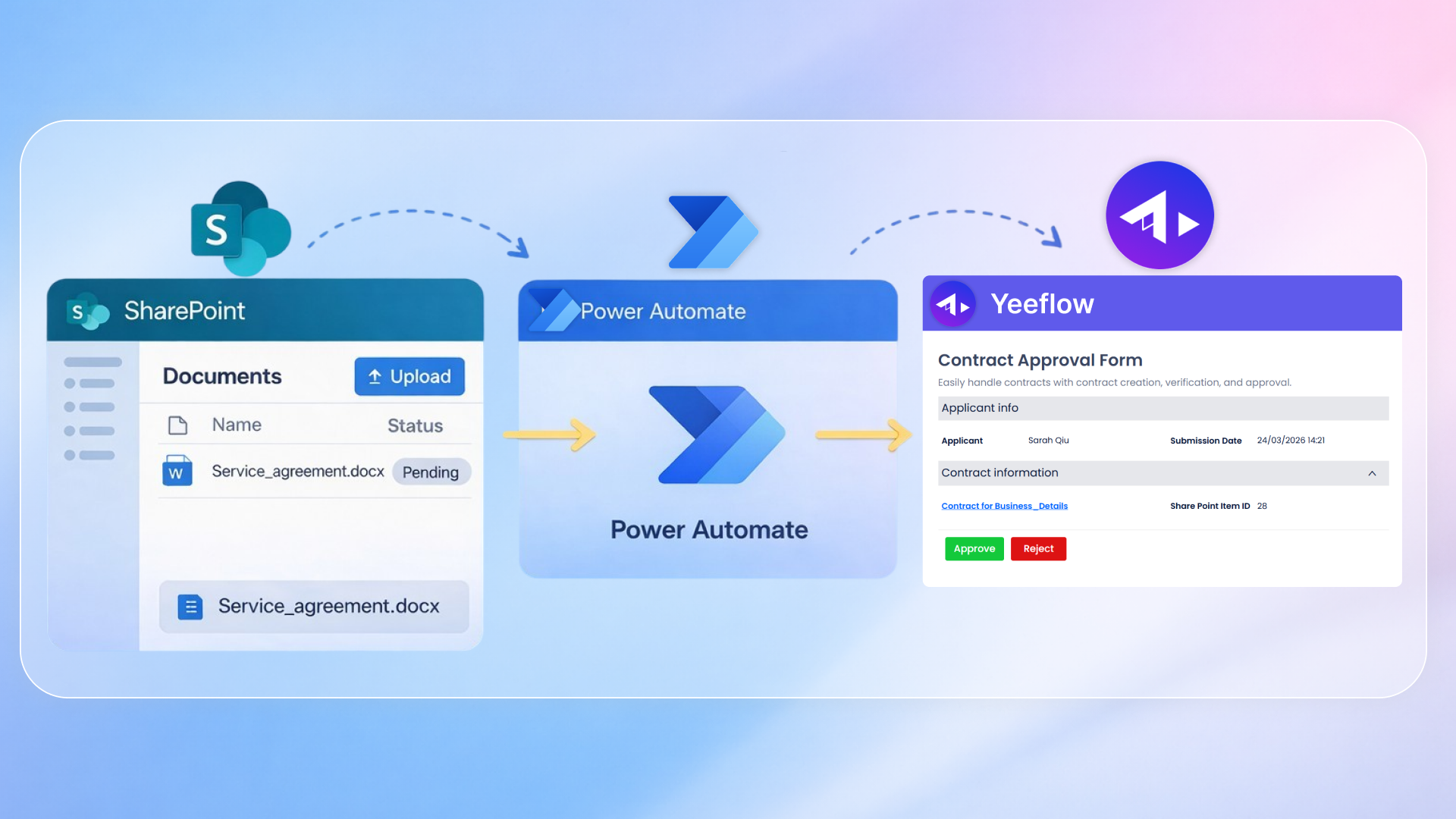
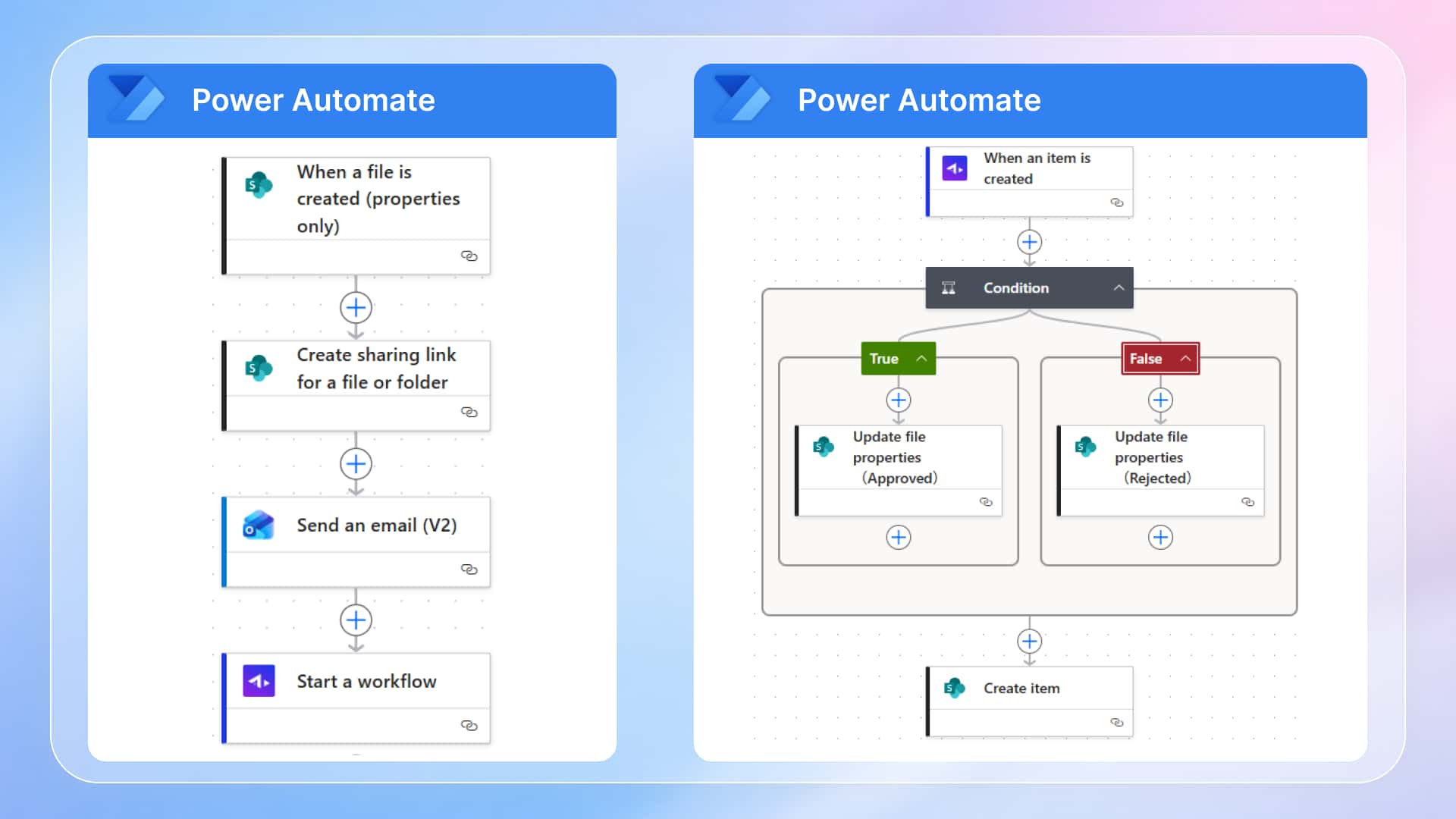
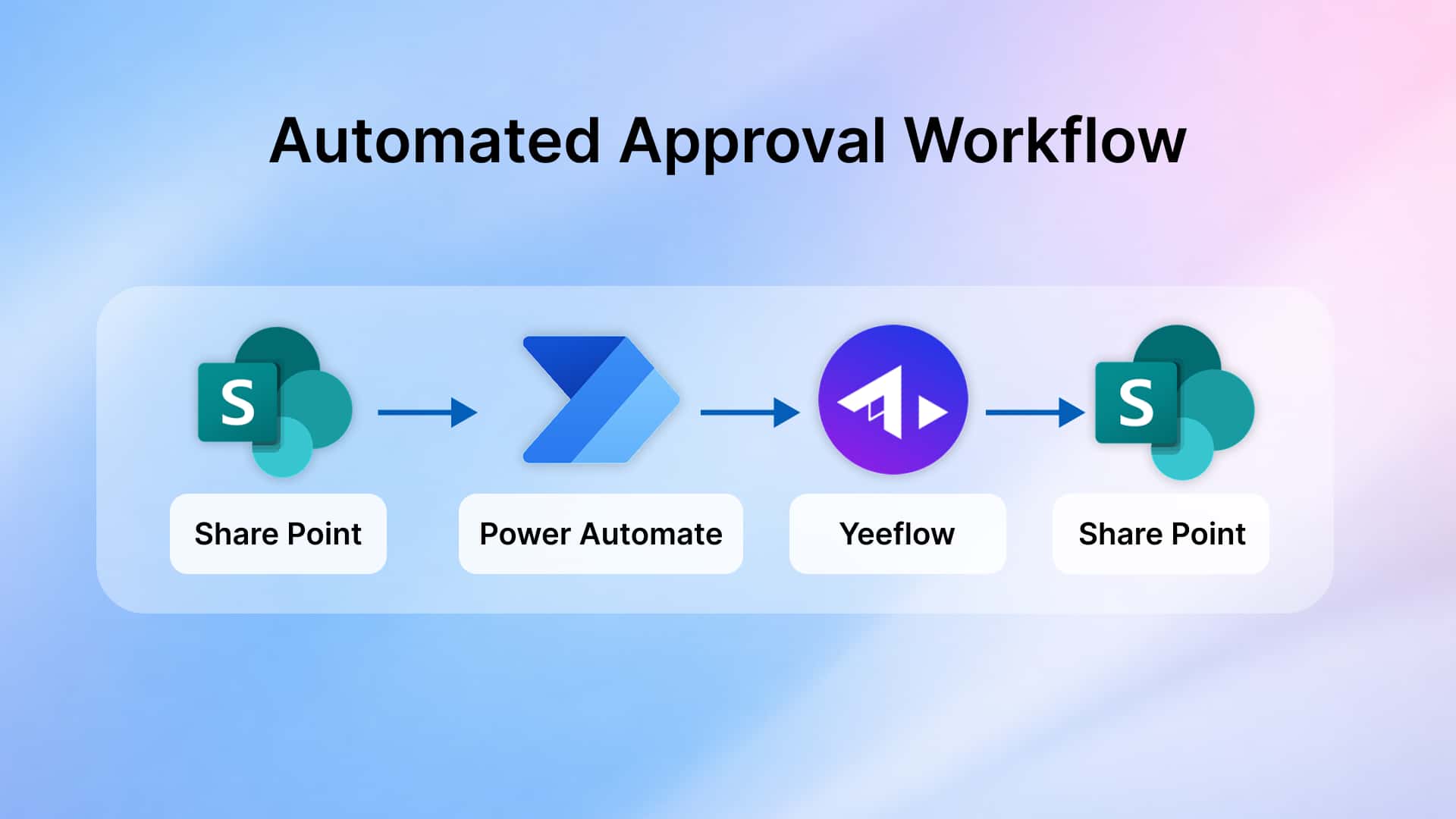
Once a file is uploaded to SharePoint, the entire process runs automatically:
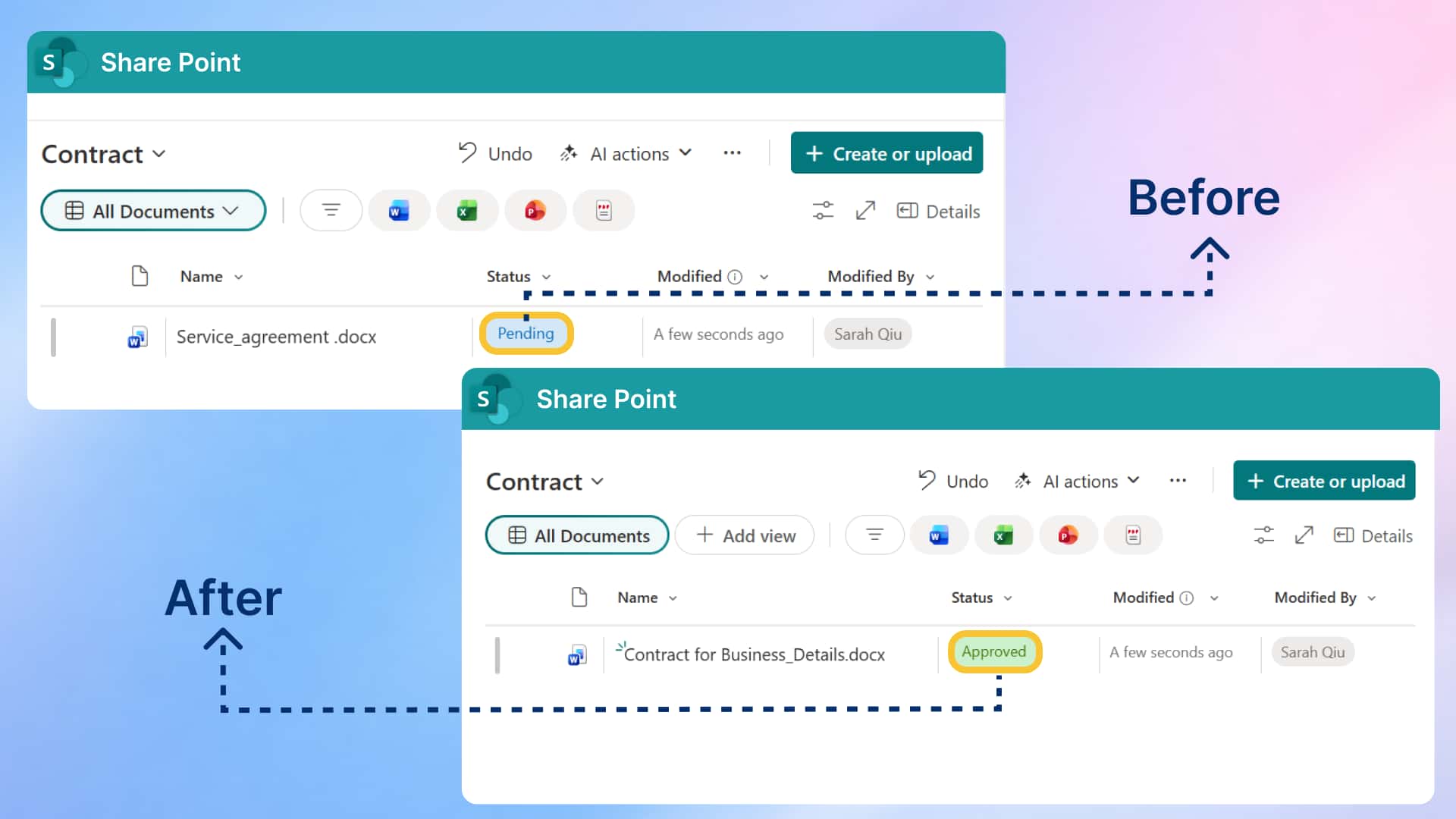
- 📄 The file is uploaded to SharePoint (status: Pending)
- ⚡ Power Automate automatically triggers the workflow
- 🚀 Yeeflow initiates the approval process and assigns approvers
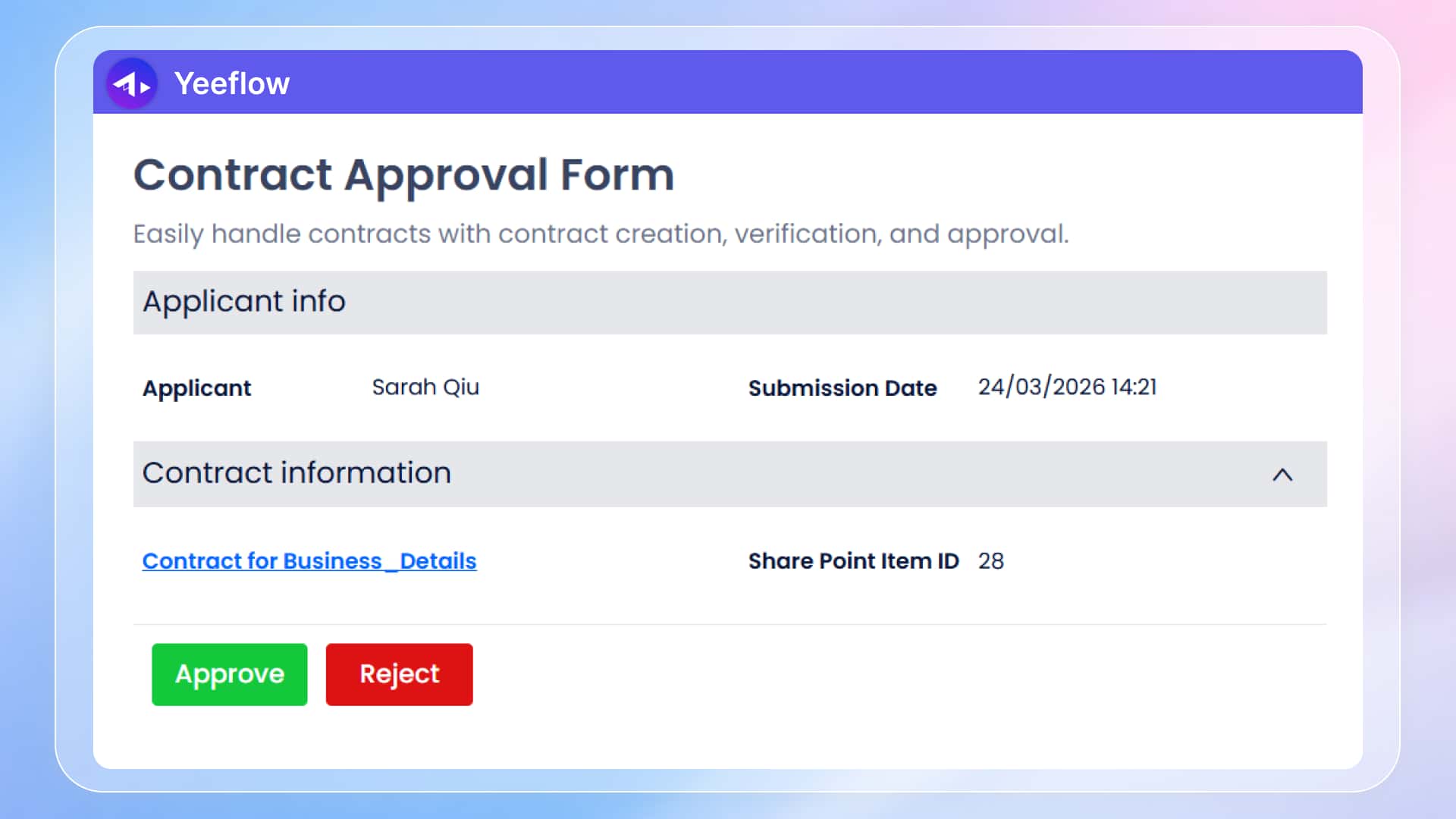
- 👤 Approvers review the document and complete approval in Yeeflow
- 🔁 Once approval is completed, results are automatically written back:
- Document status is updated
- Approval data is recorded
👉 The entire process runs end-to-end without manual intervention.
🔗 Extending the Model Across Business Scenarios
This workflow model can be naturally extended across multiple business functions:
📌 Procurement & Vendor Management
- Upload quotations or procurement documents
- Automatically trigger approval workflows
- Update procurement status upon completion
📌 HR & Employee Onboarding
- Upload employee documents or application forms
- Automatically initiate approval workflows
- Update employee records and status
📌 IT & Service Request Management
- Submit request or issue documents
- Automatically assign workflows
- Update processing status upon completion
📌 Contract & Legal Management
- Upload contract documents
- Automatically trigger approval and archiving
- Record approval history
👉 The same workflow logic can be reused across different business scenarios, ensuring consistency and scalability.
🔗 The Missing Layer: Unified Workflow and Data Management
Most organizations already have:
- A system for document storage (SharePoint)
- Tools for triggering automation (Power Automate)
But what is often missing is:
A core layer that manages both workflow execution and data structure
This is where Yeeflow comes in.
It is not just an approval tool, but:
👉 a system that defines how workflows run and how data is structured and managed
🧠 Why This Layer Matters
Without this layer:
- Processes remain unstructured
- Data cannot be consolidated into usable assets
- Systems are connected, but not truly integrated
With this layer:
- Workflows become standardized and reusable
- Data becomes structured and analyzable
- Systems operate within a unified logic
👉 This is not just automation — it is operational design.
⚙️ From Actions to Systems: A Fundamental Shift
When workflows are systemized:
- Events (such as file uploads) automatically trigger processes
- Decisions are captured as structured data
- Systems update themselves based on outcomes
This creates a shift:
From:
- Manual coordination
- Tool-driven work
- Reactive updates
To:
- System-driven workflows
- Data-driven operations
- Real-time synchronization
📈 The Real Value: Consistency, Visibility, and Control
This approach delivers more than efficiency gains — it enhances operational control:
✅ Consistency
All processes follow standardized logic
✅ Visibility
Status and progress are always transparent
✅ Traceability
Every decision is recorded and auditable
✅ Scalability
Workflows can be extended across teams and functions
🧠 Rethinking Digital Transformation
Many organizations approach digital transformation as:
👉 “Adopting more tools”
But real transformation happens when:
Processes are designed as systems, not as isolated activities
In this model:
- SharePoint manages documents
- Power Automate connects events
- Yeeflow ensures workflows run properly and data is structured and managed
👉 Moving from tool usage to true business systemization
🏁 Conclusion
The challenge is not whether documents are stored,
but whether:
👉 those documents can drive structured, trackable, and automated processes
By integrating SharePoint with a workflow platform like Yeeflow:
- Processes become system-driven
- Data becomes structured and reliable
- Operations become scalable and manageable