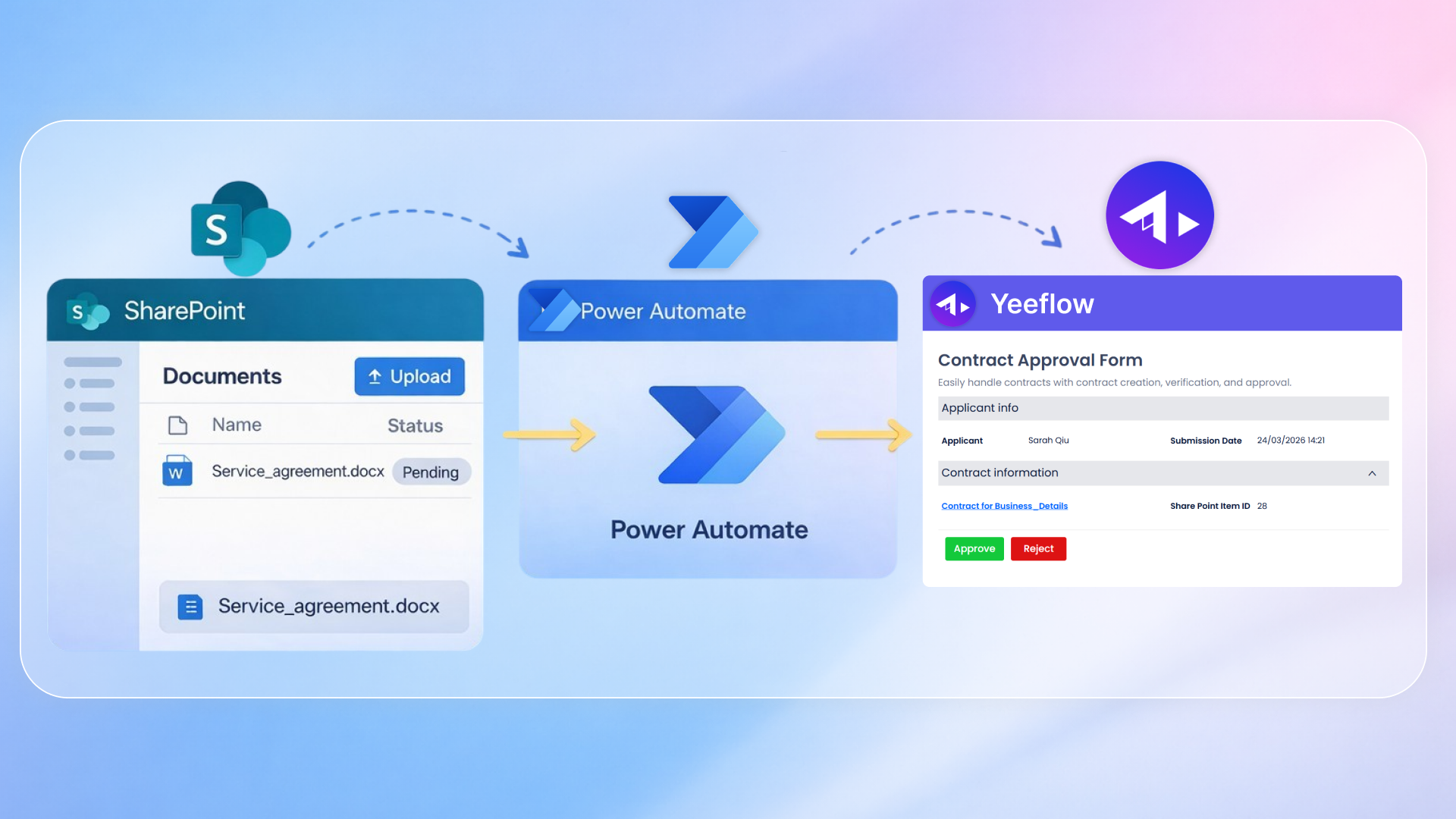
In many organizations, critical business processes—such as vendor payments, procurement requests, or expense approvals—span across multiple systems.
While each system serves a purpose, the lack of integration between them often leads to fragmented workflows, inconsistent data, and limited visibility.
What organizations need is not just another workflow tool—but a scalable integration approach that connects processes, automation, and data into a unified system.
This is especially true for vendor payment processes, where approvals, data, and supporting documents must work together seamlessly.
This article introduces a practical solution built on Yeeflow, Power Automate, and SharePoint, and demonstrates how this integration approach can streamline vendor payment workflows—while also providing a reusable foundation for broader business automation.
⚠️ The Real Business Challenges in Vendor Payment
Vendor payment processes often span multiple systems—from request submission and approvals to data tracking and document storage.
In practice, this leads to several common challenges:
- Limited visibility across the process, making it difficult to track request status
- Data inconsistency, as information is re-entered across systems
- Disconnected records and documents, complicating audit and compliance
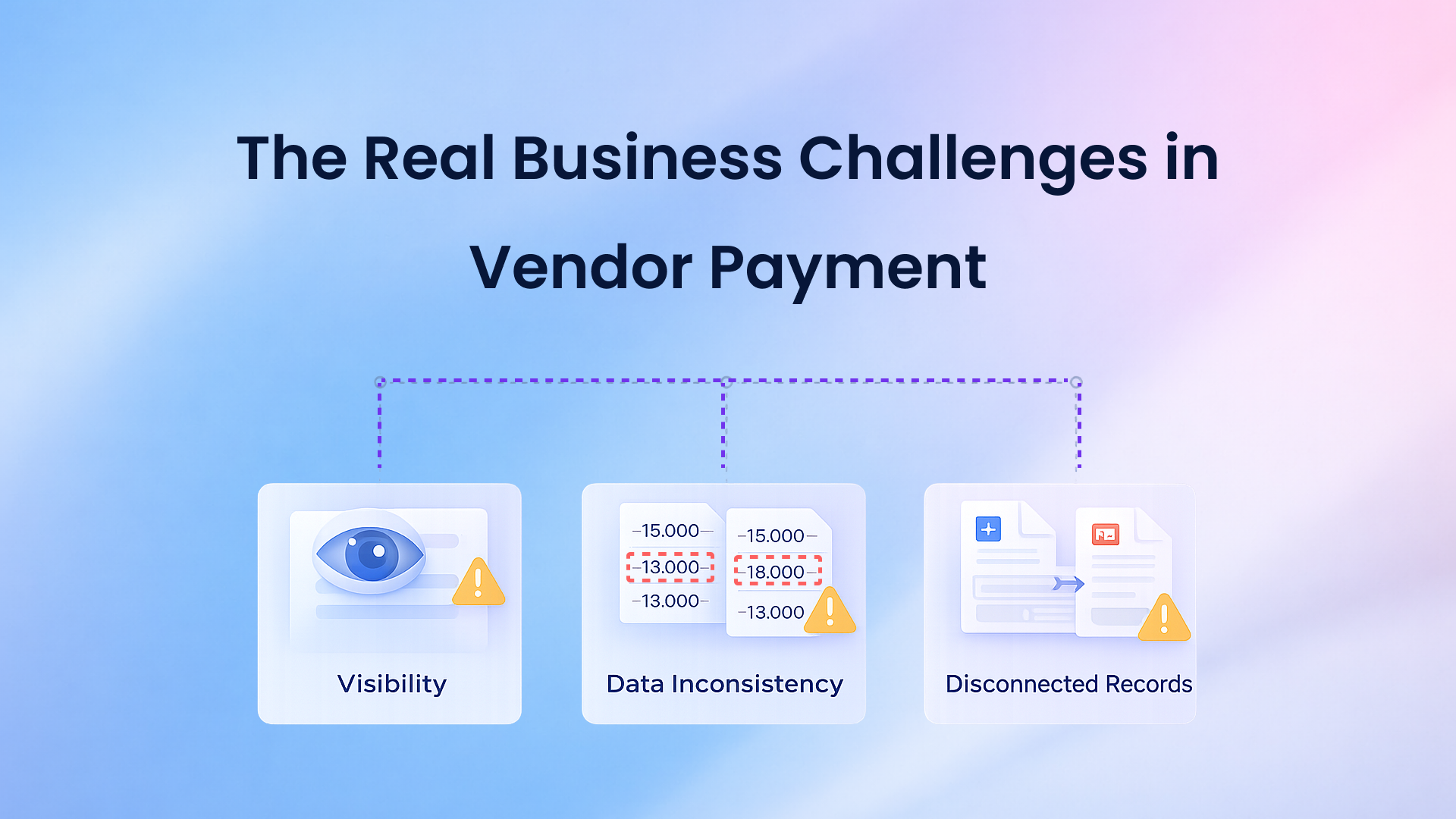
As request volumes grow, these issues slow down operations and increase risk.
🚀 Solution Overview: A Connected Vendor Payment Architecture
To address these challenges, organizations need a solution that connects workflows, automation, and data—rather than managing them separately.
At a high level, the vendor payment process follows a unified pattern:
Request → Approval → Trigger → Automation → Storage → Notification
This solution combines:
- Yeeflow for workflow and approval management
- Power Automate for integration and cross-system automation
- SharePoint for centralized data and document storage
It is built on an event-driven integration model, where an approval in Yeeflow automatically triggers downstream processing through Power Automate.
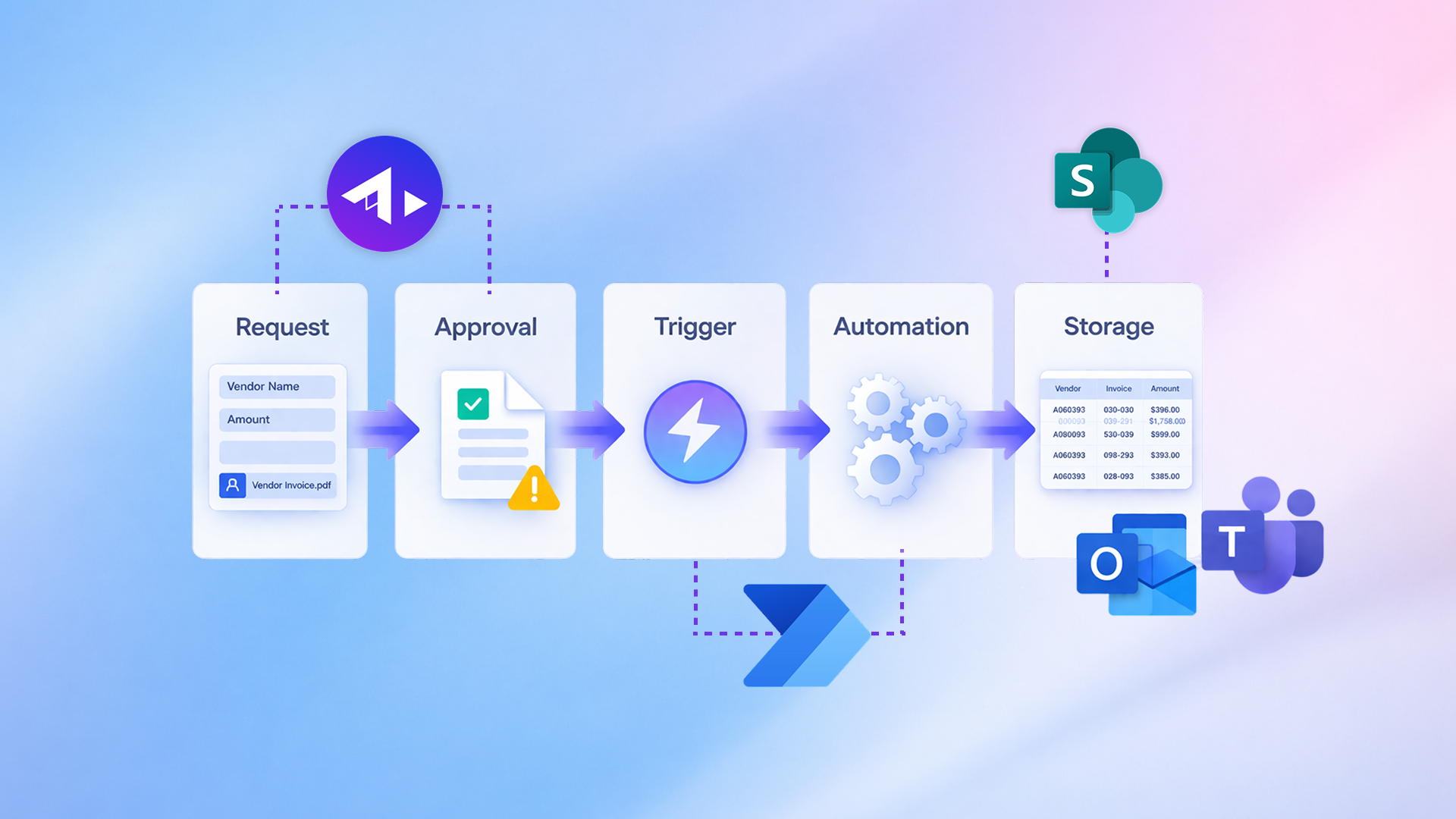
This approach ensures that once a request is approved, the rest of the process—data recording, document storage, and notifications—runs automatically without manual coordination.
🧩 Architecture Breakdown: Roles of Each Platform
This solution works because each platform is used for a specific role within the overall architecture.
Yeeflow – Workflow and Control Layer
Yeeflow serves as the entry point of the vendor payment process.
- Captures structured request data
- Collects invoice details and attachments
- Manages approval workflows
- Controls when automation is triggered
It ensures that all requests follow a standardized and governed process.
Power Automate – Integration and Automation Layer
Power Automate acts as the orchestration engine.
- Receives approved request data from Yeeflow
- Executes automation across systems
- Connects workflow events with downstream actions
It eliminates the need for manual handoffs after approval.
SharePoint – System of Record for Data and Documents
SharePoint provides centralized storage for both structured data and supporting documents.
- SharePoint Lists store request data
- Document Libraries store invoice files
This ensures that every vendor payment request has both its data and supporting documentation stored together in a consistent and accessible way.
🔗 Integration Design: Connecting Yeeflow and Power Automate via HTTP
At the core of this solution is a simple but powerful integration mechanism:
👉 HTTP-based, event-driven communication
In Power Automate, a flow is configured using the trigger:
“When an HTTP request is received”
Once the flow is saved, Power Automate generates a unique HTTP endpoint.
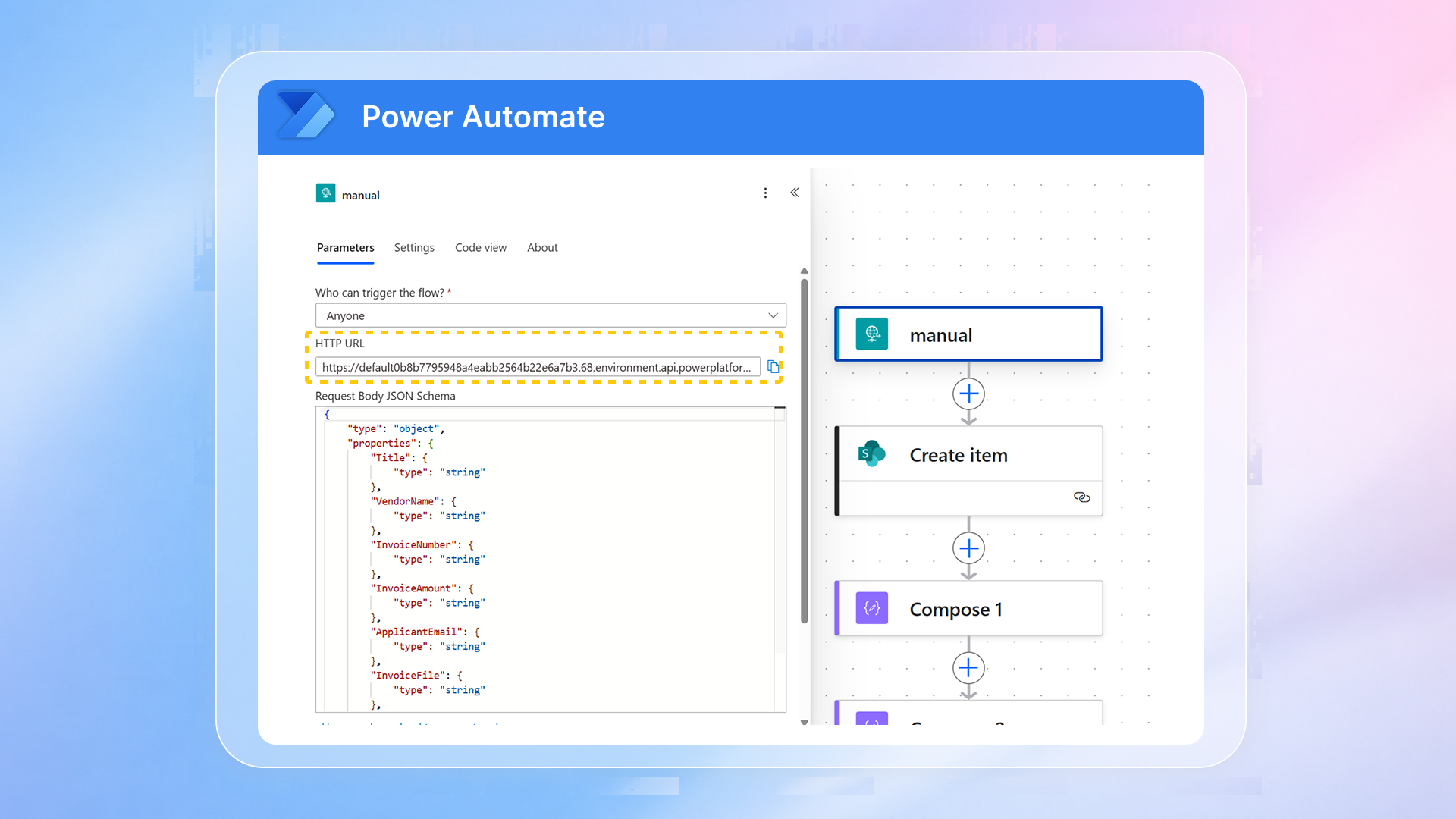
This endpoint is then used in Yeeflow’s HTTP Request action. When a request is approved, Yeeflow sends a structured JSON payload to this endpoint.
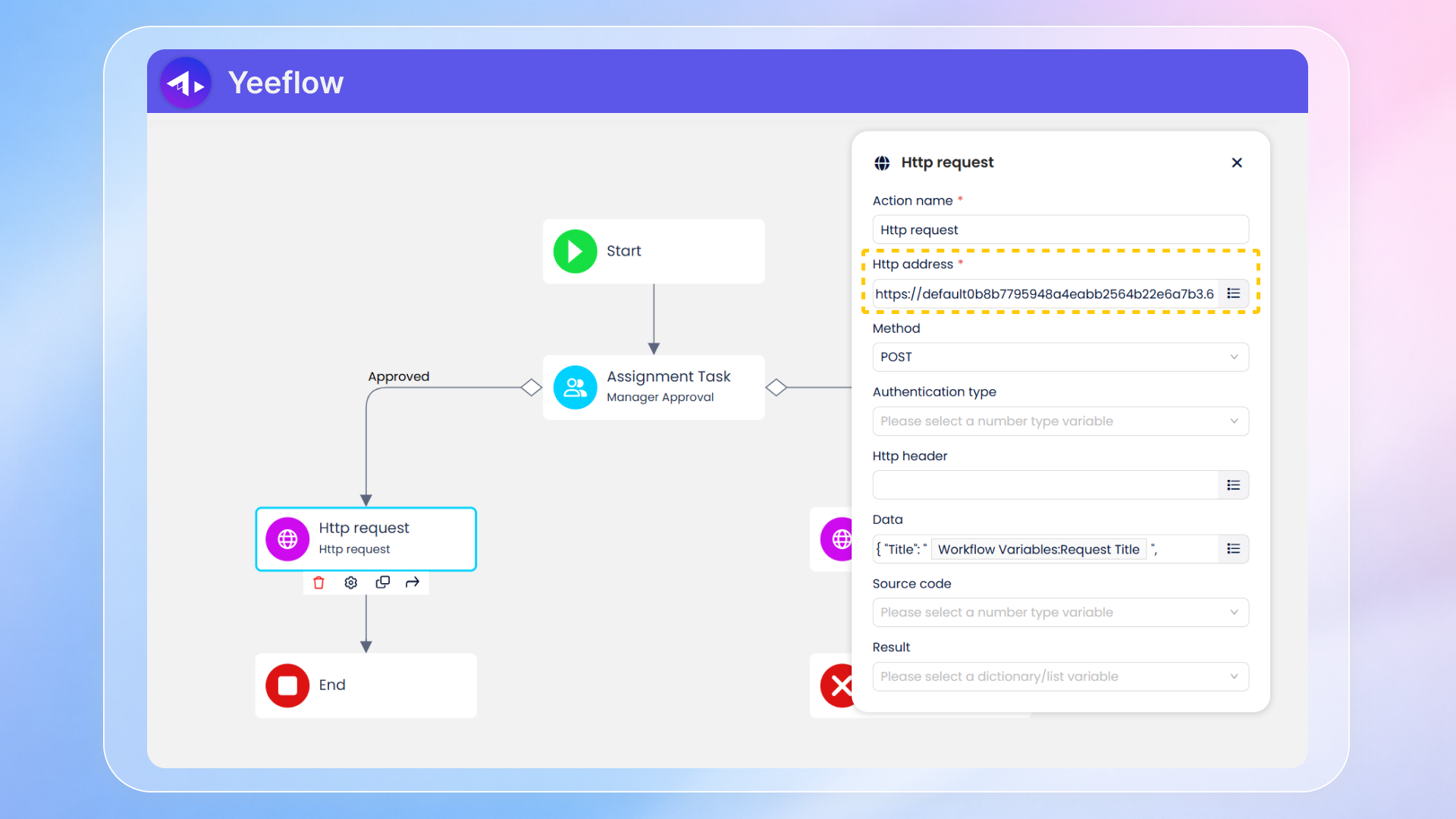
This payload includes key vendor payment information such as:
- request details
- vendor name
- invoice number and amount
- applicant information
- invoice file metadata
In Power Automate, a corresponding JSON schema ensures that the incoming data is correctly interpreted.
This design creates a clean integration model:
- Yeeflow triggers the event
- Power Automate processes the data
- SharePoint stores the results
Each system operates independently while remaining connected through a well-defined interface.
🔄 End-to-End Flow in the Vendor Payment Scenario
Once the integration is configured, the entire process runs automatically.
👉 To see how this works in practice, watch the full demo below:
1. Submit a Vendor Payment Request
A user submits a vendor payment request in Yeeflow, entering key details and uploading the invoice document.
This ensures all required information is captured in a structured format from the beginning.
2. Approval Workflow
The request is routed through an approval workflow in Yeeflow.
This ensures proper review and control before any downstream processing begins.
3. Trigger Power Automate
Once approved, Yeeflow sends the request data to Power Automate through the configured HTTP Request.
This acts as the trigger for the automation process.
4. Store Data in SharePoint
Power Automate creates a new record in a SharePoint List.
This provides a centralized, structured record of the vendor payment request.
5. Store Invoice Document
The flow retrieves the invoice file from Yeeflow and uploads it to a SharePoint Document Library.
This ensures that the supporting document is securely stored and linked to the request.
6. Send Notifications
Notifications are sent through Microsoft Teams and email to keep stakeholders informed.
This eliminates the need for manual follow-up and improves communication.
This end-to-end flow demonstrates how vendor payment processes can be automated and connected across systems.
📊 Why This Architecture Matters
This solution delivers practical value beyond simple automation.
By centralizing both request data and invoice documents in SharePoint, organizations establish a single source of truth for vendor payment processes.
Finance teams gain better visibility into request status, easier access to supporting documents, and a more consistent way to manage records.
At the same time, automation reduces manual work, speeds up processing, and ensures that every request follows a standardized and auditable process.
More importantly, this architecture is reusable.
The same integration pattern—combining workflow, automation, and centralized storage—can be applied to other business scenarios such as procurement, expense management, and contract approvals.
🎯 Conclusion
Vendor payment workflows are one of the clearest examples of why process automation requires system integration.
By combining Yeeflow, Power Automate, and SharePoint, organizations can move from fragmented workflows to a connected, automated, and scalable solution.
This approach not only improves efficiency and data consistency, but also provides the visibility and control needed for modern finance operations.